
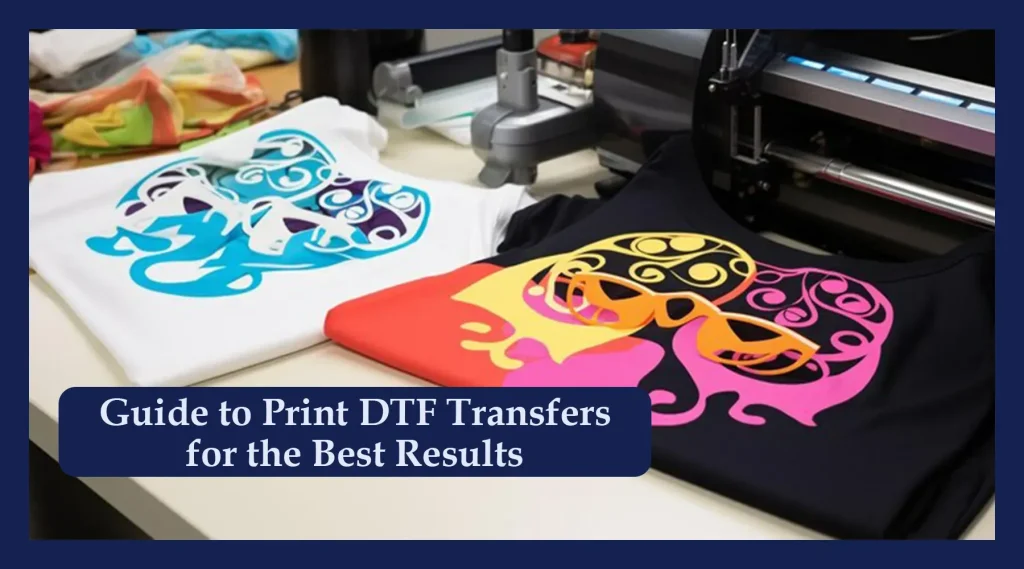
DTF transfers have transformed how designers decorate apparel, offering a versatile and durable method for applying vibrant artwork to fabrics across a wide range of styles and applications. Using DTF transfer paper, you print designs on film designed for the process, enabling sharp color on a range of fabrics, from cotton jerseys to blends used in activewear. Understanding DTF transfer process helps beginners anticipate ink layering, adhesive powder application, and post-press care, laying the groundwork for consistent results and lower trial-and-error frustration. The guide also explains heat press temperature for DTF and how to optimize your DTF printer setup for reliable results, plus tips on screening color accuracy and workflow. With practical steps and clear tips, you’ll gain confidence to reproduce professional results across multiple projects and scale your hobby into a small, sustainable studio practice.
From a terminology perspective, the technique sits in the family of film-based textile decoration, where artwork is printed onto a PET film and bonded to fabric with an adhesive layer activated by heat. Alternative terms include direct-to-film printing, film-to-fabric transfers, and printer-to-workflow approaches that mirror other modern garment decoration methods. Practically, this means focusing on media choices, adhesive powders, and precise heat and pressure settings to deliver durable, vibrant results across fabrics. By linking ideas such as DTF transfer paper and printer setup with broader process concepts, readers can map the path from design to finished garment.
DTF transfer process: a step-by-step overview for beginners
DTF transfer process involves printing designs onto a PET film using white and color inks, applying a powdered adhesive, curing it, and then pressing the film onto a garment with a heat press. The result is a bright, durable image that bonds to cotton, blends, and other fabrics without traditional screen printing. Understanding the DTF transfer process helps set realistic expectations and reduces trial and error as you learn to print on film and apply the adhesive powder.
Success also depends on proper DTF printer setup, selecting the right DTF transfer paper, and using compatible inks. With a consistent workflow, you will achieve repeatable results and be able to scale from simple designs to more complex color layers.
Direct-to-film tutorial: a beginner friendly guide to your first project
This direct-to-film tutorial guides you from concept to garment by detailing design preparation, printing on PET film, applying adhesive powder, curing, pre-press, and final transfer. Following a clear sequence helps you build confidence and reduces guesswork for beginners.
As you progress, mirror or flip designs as required, perform a test print to verify color balance, and ensure your workspace is clean and organized. The tutorial also reinforces safety practices and emphasizes using the right heat press settings to avoid shifting or misalignment during transfer.
Choosing the right DTF transfer paper and inks for vibrant results
Selecting the right DTF transfer paper is crucial for color accuracy, adhesion, and wash durability. Consider the coating, thickness, and compatibility with your inks and printer setup to achieve vibrant, long lasting designs.
Pair the paper with compatible inks and follow color management best practices within your DTF printer setup. Testing on similar fabrics helps you tailor white underprints and color layers for optimal results on light and dark garments.
Heat press basics: optimizing temperature and pressure for DTF transfers
Heat press parameters such as temperature, time, and pressure determine bond strength and image clarity. Typical targets range from 320 to 385 degrees Fahrenheit (160 to 195 Celsius) and 10 to 20 seconds depending on materials and adhesive powder.
Always use a protective sheet like a Teflon or silicone cover, pre press the garment to remove moisture, and maintain even pressure across the entire transfer. Controlling these factors consistently yields crisp edges and durable results.
DTF printer setup: preparing your printer for film printing and color accuracy
DTF printer setup includes enabling white ink capabilities, loading the correct DTF transfer film, and configuring color profiles for accurate reproductions. Regular test prints help verify alignment, ink density, and mirror printing where required.
Keep your printer maintenance routine and calibration up to date, and ensure your software is configured for film printing. Understanding the relationship between printer setup and the final appearance on fabric will improve color depth and overall quality.
Post transfer care, troubleshooting, and long term durability of DTF transfers
Post transfer care is essential for longevity. Allow the garment to cure for 24 hours and wash according to fabric guidelines, preferably with inside out washing and low heat to preserve color and bond.
Troubleshooting common issues like dull colors, edge lifting, air bubbles, or cracking involves revisiting heat press temperature for DTF, time, and pressure, as well as curing and powder adhesion. Document adjustments and test on similar fabrics to build a reliable, repeatable workflow.
Frequently Asked Questions
What is the DTF transfer process and what are its main steps?
DTF transfers involve printing a design onto a PET film, applying an adhesive powder, curing it, and pressing the film onto fabric with a heat press. The main steps include designing and printing on the DTF film (often with a white underprint for dark fabrics), applying and curing the adhesive powder, pre-pressing the garment, transferring with the recommended temperature and time, then peeling and finishing and allowing the bond to cure.
How can I start with a direct-to-film tutorial for beginners?
Follow a direct-to-film tutorial that covers the full workflow: choosing the right tools, configuring a DTF printer setup, selecting DTF transfer paper, applying the adhesive powder, curing, and performing the transfer with proper heat press settings. Start with simple designs and do test prints to dial in color, alignment, and timing.
What is DTF transfer paper and how is it used in the DTF transfer process?
DTF transfer paper is the media used to print the design for the DTF transfer process. After printing, you dust an adhesive powder, cure it, and then press the film onto the garment. It enables vibrant color, fine detail, and strong adhesion across a wide range of fabrics.
What is the heat press temperature for DTF transfers, and how should it vary by fabric?
The heat press temperature for DTF transfers typically ranges from 320 to 385 degrees Fahrenheit (160–195 degrees Celsius), with press times around 10 to 20 seconds. Adjust based on fabric type and adhesive powder, and follow manufacturer guidelines for your specific film and powder.
What steps are involved in DTF printer setup for a new project?
DTF printer setup involves ensuring you have a proper DTF printer setup (including white ink capability), selecting the correct DTF transfer paper or film, configuring color management and print settings, loading media correctly, and running test prints to verify alignment and curing parameters before full production.
Why is DTF transfer paper important for DTF transfers on dark fabrics?
DTF transfer paper is important because it works with white ink underprint to produce bright, accurate colors on dark fabrics. Proper curing and the right paper ensure durable adhesion and color depth, helping designs stay vibrant after washing.
| Topic | Key Points |
|---|---|
| What are DTF transfers | Direct to film transfers printed on PET film; use adhesive powder and heat to bond designs to garments. Produce durable, vibrant images on cotton and blends; suitable for beginners due to a straightforward workflow that doesn’t require screen printing or vinyl cutting. |
| How DTF transfers work | Print design onto PET film; apply and cure adhesive powder; pre-press garment; transfer with heat press; peel; post-press if required. White ink underprint on dark fabrics improves color depth. |
| Tools & materials you need | – DTF printer with white ink capability – DTF transfer paper/film – Curing oven or heat source for adhesive powder – Powder adhesive and a shaker/sifter – Heat press with adjustable temperature/pressure – Teflon/silicone cover – Scissors or cutter – Cotton or polyester garments – Heat-resistant gloves and clean workspace |
| Setup & safety basics | Follow manufacturer temps (approx. 320–385°F / 160–195°C). Typical press times: 10–20 seconds for transfer, plus a cooling or cold peel. Pre-press the garment to remove moisture and create a smooth surface. |
| Step-by-step overview (1–7) |
|
| Tips to optimize results |
|
| Troubleshooting tips |
|
| DTF vs other methods | DTF offers flexibility across fabrics and batch sizes; easy for hobbyists and small shops; generally durable and color-rich, with simpler workflow than screen printing or some DTG scenarios. |
| Final thoughts | A steady practice routine, clean workspace, and careful control of temperature and time will yield consistent results. Start simple, scale gradually, and invest in quality consumables and equipment to achieve professional-looking apparel. |
Summary
Conclusion: DTF transfers provide a practical, flexible, and increasingly popular method for transferring vivid designs to garments. By following a clear step-by-step approach and paying attention to the details of design, printing, powder application, transfer, and post-care, beginners can achieve durable, high-quality results. Practice on inexpensive textiles, refine your pre-press, temperature, and time settings, and keep your equipment clean and well maintained. With patience and persistence, you will master DTF transfers and be able to produce professional-grade apparel that showcases your creativity and technical skills.